Why 'Senior Engineer' Means Something Different At Every Company

A Sales Manager insists their team is the backbone of the company and demands higher titles and pay than Customer Support. An executive hires a charismatic Senior Engineer and agrees to pay them well above the range because they really like them. To keep people from quitting, the company hands out ‘Director’ titles to employees who only manage themselves. After an acquisition, Company A’s ‘Account Managers’ do the exact same work as Company B’s ‘Client Executives’ but earn less.
This happens at companies of every size. It is not a people problem. It is a system problem.
Job Grader is a free, open-source tool that makes this explicit. It implements the Point-Factor Method for job evaluation[0], a job evaluation methodology used by many technology companies. It breaks every role into measurable components, scores each one, and converts the total into a grade. The same rubric applied to two different roles produces two comparable numbers.
It is a pure frontend application. No backend. No database. No authentication. State is stored in JSON files that you import and export. It runs entirely in the browser and can be deployed to GitHub Pages for free.
You can try it live at gabegm.github.io/job-grader.
The problem
If you have ever been involved in hiring, promotions, or compensation planning at a company of any size, you have probably seen this pattern:
- A manager argues that their team’s role should be graded higher because the work is “more strategic”.
- Another manager says the same thing about their team.
- HR has to explain why two roles with different business context may still carry the same organizational value.
- Finance has to approve salary bands without understanding the distinction.
- Employees see inconsistent titles and promotion decisions.
- Trust erodes.
The root problem is that grade numbers are meaningless without a rubric. “Senior Engineer” means something different at every company. Some companies use 1–10. Some use 1–25. Some use L5, L6, L7. Some use “Staff”, “Principal”, “Distinguished”. Without a shared framework, these labels are just words.
When two managers give opposite grades for similar roles, it is rarely because they are being dishonest. It is because there is no shared language for what the grade was supposed to measure. The result is inconsistent compensation, frustrated employees, and managers who stop trusting the grading system altogether.
The Point-Factor Method
In this tool, the method has two stages.
Stage 1: Company Ceiling[1]
You start by describing your company with four questions:
- Annual revenue - under $10M, $10–50M, $50–250M, $250M–1B, or over $1B
- Global headcount - under 100, 100–500, 501–2500, 2501–10000, or over 10000
- Geographic footprint - single country, regional, or global
- Corporate structure - single business, multi-business, or holding company
Each answer maps to a score from 1 to 5. The four scores sum to a total between 4 (tiny startup) and 20 (enterprise). This total is linearly mapped to a grade between 1 and 25, which becomes the company’s maximum grade. The ceiling.
The CEO can reach the ceiling. Everyone else is capped at ceiling minus one. This reserves the top grade for the actual CEO, which is a common pattern in large-company grading systems.
Stage 2: Role Scoring
For each role, you answer questions across seven factors:
- Job Functional Knowledge - depth and breadth of domain expertise required
- Business Expertise - understanding of the business and industry
- Leadership - people management, influence, and organisational impact
- Problem Solving - complexity and ambiguity of problems the role solves
- Nature of Impact - direct vs indirect impact on business outcomes
- Area of Impact - scope of the role’s influence (team, department, company)
- Interpersonal Skills - communication, negotiation, and stakeholder management
Each factor is scored 0–50 points, for a maximum of 350 points total.
Then the tool applies three transformations:
- Track-specific weightings[2] - IC and Manager tracks use different weights for each factor. IC roles weight “Job Functional Knowledge” and “Problem Solving” more heavily. Manager roles weight “Leadership” and “Business Expertise” more heavily.
- Band-specific multipliers[3] - Executive, middle management, and operational bands each have different grade curves. A given point total maps to different grades depending on which band the role falls into.
- Soft gates[4] - roles without sufficient authority (team management for managers, decision autonomy for ICs, or financial authority) are capped one grade below what their points would suggest. This is a nudge, not a hard stop.
The final grade is capped by the company ceiling (or ceiling minus one for non-CEO roles).
How the scoring works
The scoring engine goes through five steps:
- Raw points - sum the 7 factor scores (0–350).
- Track-specific weightings - multiply each factor by an IC or Manager weight, then normalize back to 0–350. Without normalisation, a Manager with high leadership weights on all 7 factors could score 560 points, breaking the band tables.
- Band-specific multiplier - convert weighted points to a grade using piecewise-linear tables. Three band tiers (Executive, Middle Management, Operational) each have different grade ranges and scoring curves.
- Soft gate - if a role lacks sufficient authority (team management for managers, decision autonomy for ICs, plus financial authority), cap it one grade below what the points suggest. Minimum grade 4.
- Company ceiling - cap by the company ceiling (or ceiling minus one for non-CEO roles).
The normalisation step is the trickiest part. The default weightings for IC and Manager tracks are:
| Factor | IC Weight | Manager Weight |
|---|---|---|
| Job Functional Knowledge | 1.4 | 0.8 |
| Business Expertise | 0.8 | 1.4 |
| Leadership | 0.5 | 1.6 |
| Problem Solving | 1.3 | 1.0 |
| Nature of Impact | 1.0 | 1.2 |
| Area of Impact | 1.0 | 1.3 |
| Interpersonal Skills | 0.8 | 1.3 |
These reflect common patterns in tech industry leveling frameworks: IC roles tend to weight “Job Functional Knowledge” and “Problem Solving” more heavily, while Manager roles weight “Leadership” and “Business Expertise” more heavily. You can adjust every weighting in the tool.
Dual career tracks
The tool supports two parallel career tracks[5]:
- Individual Contributor (IC) - Roles focused on deep expertise and technical/functional impact. Grade labels: Staff IC, Principal IC, Distinguished IC, Fellow.
- Managerial - Roles with people management, budget ownership, and organisational impact. Grade labels: Team Lead, Manager, Senior Manager, Director, VP.
Both tracks converge at equivalent grades. A Staff IC maps to roughly the same grade as a Manager. A Principal IC maps to roughly the same grade as a Senior Manager. A Distinguished IC maps to roughly the same grade as a Director.
This enables fair comparison across tracks. You can see whether your best engineer should be promoted to Staff IC or whether you need to hire a Manager at a comparable level.
Salary estimation
The tool includes a Market Pricing Engine[6] that estimates salary ranges based on three inputs:
- Global Grade - the grade assigned by the Point-Factor engine (1–25)
- Location - cost of living index relative to San Francisco (SF = 1.0)
- Job Family - market adjustment factor by department (Engineering = 1.15, Support = 0.85)
Example: using the bundled defaults, a Grade 8 Software Engineer in San Francisco earns approximately $143K–$213K, while the same role in Bangalore earns approximately $45K–$67K. Treat these as demonstration values, not market truth.
Salary bands are fully configurable. You can upload your own bands or use the defaults. The core engine outputs grades; salaries are a separate overlay.
What it looks like
Company Setup
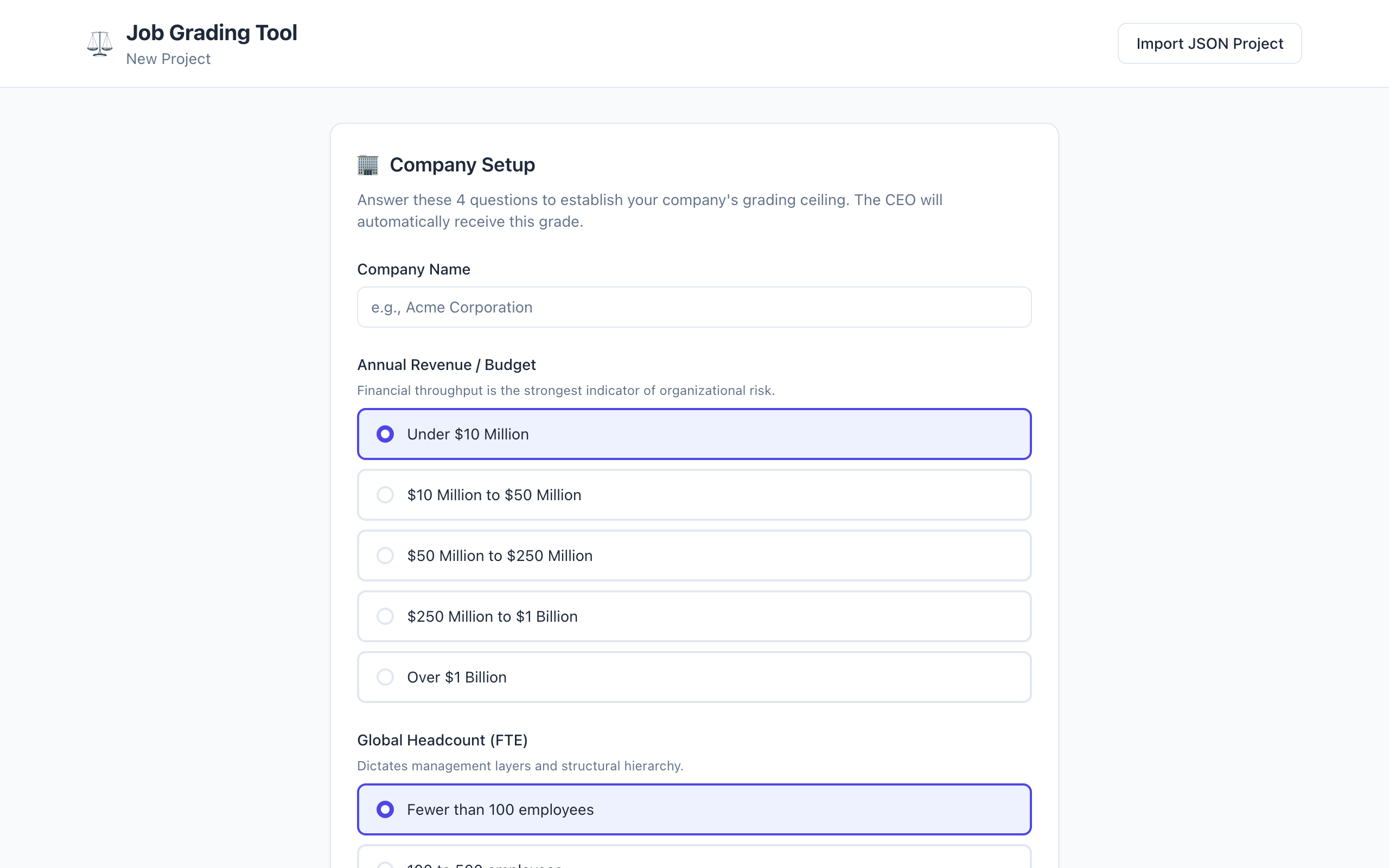
Set up your company with four questions to establish the grading ceiling.
Import Roles
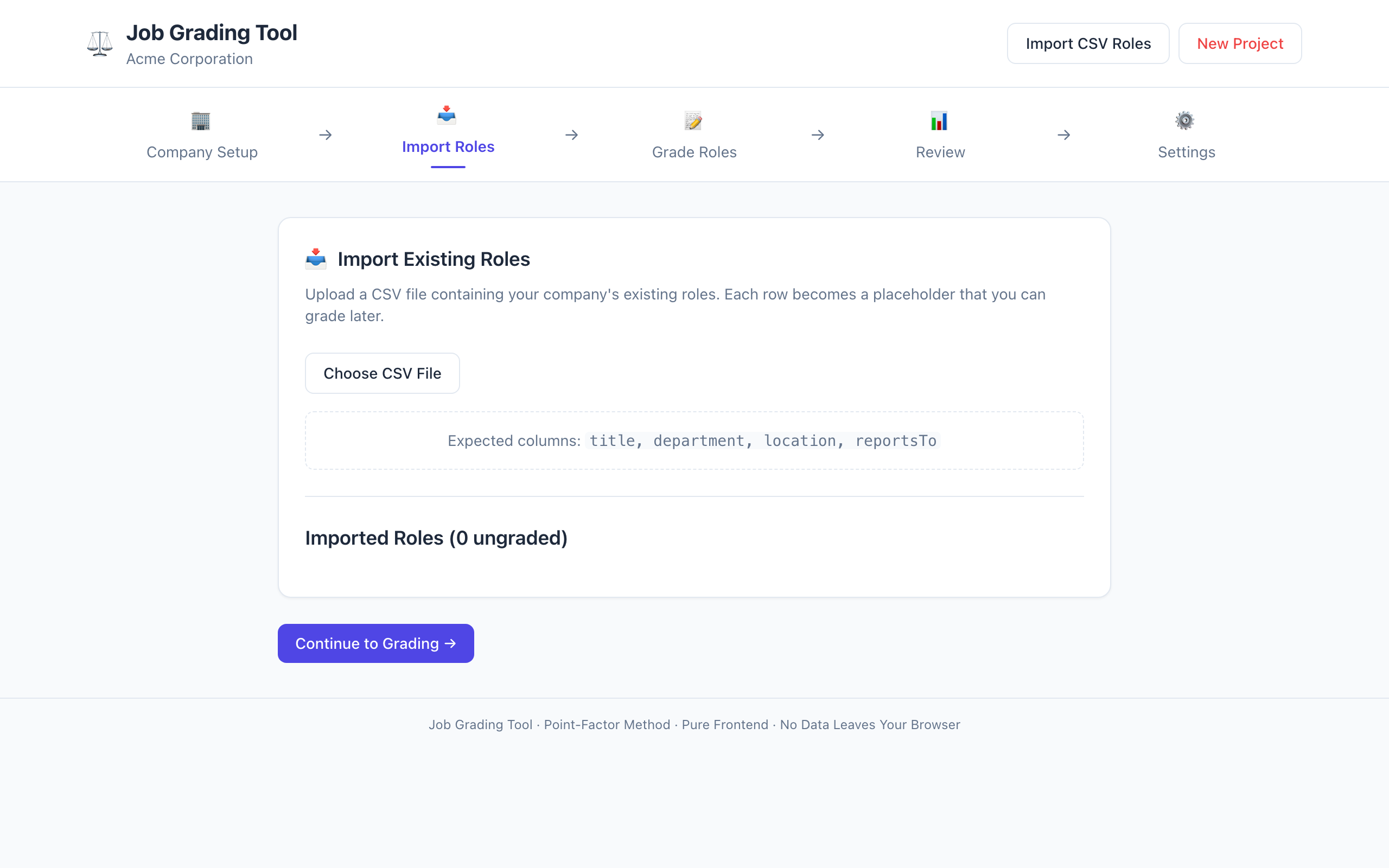
Import existing roles via CSV or add them manually.
Review Panel
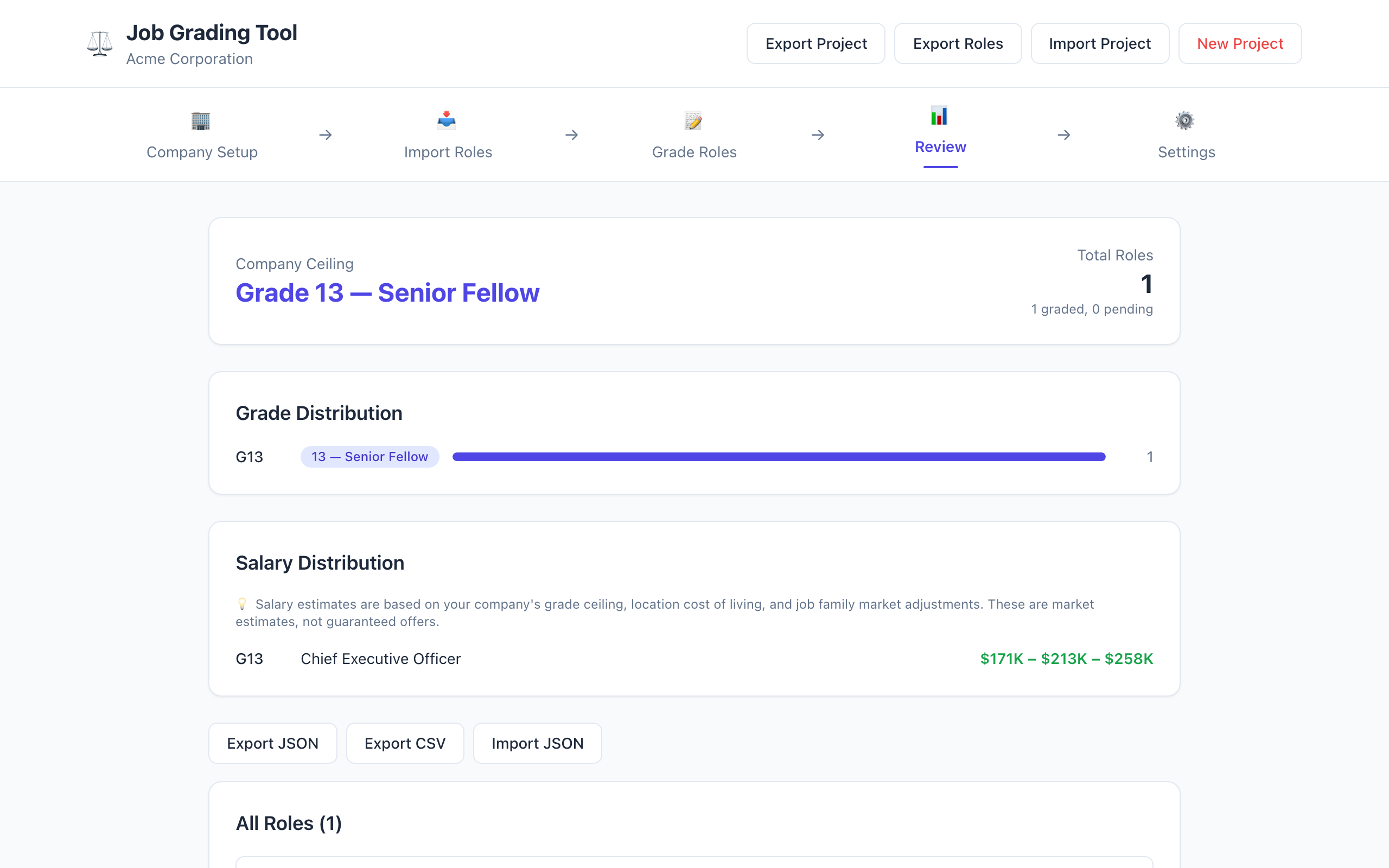
View all graded roles with grade distribution and salary estimates.
Settings: Factor Weightings
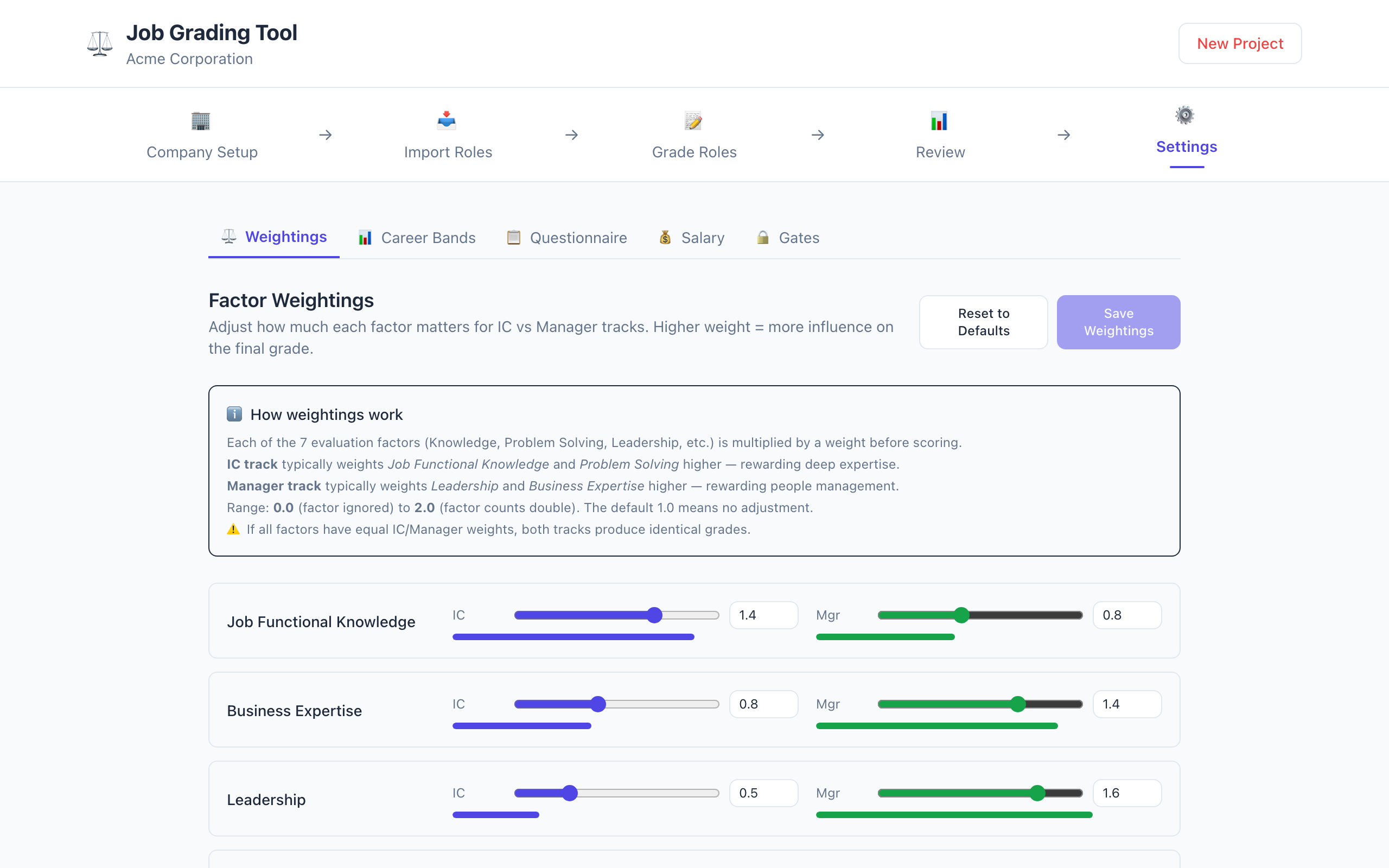
Adjust how much each factor matters for IC vs Manager tracks with visual sliders.
Settings: Questionnaire
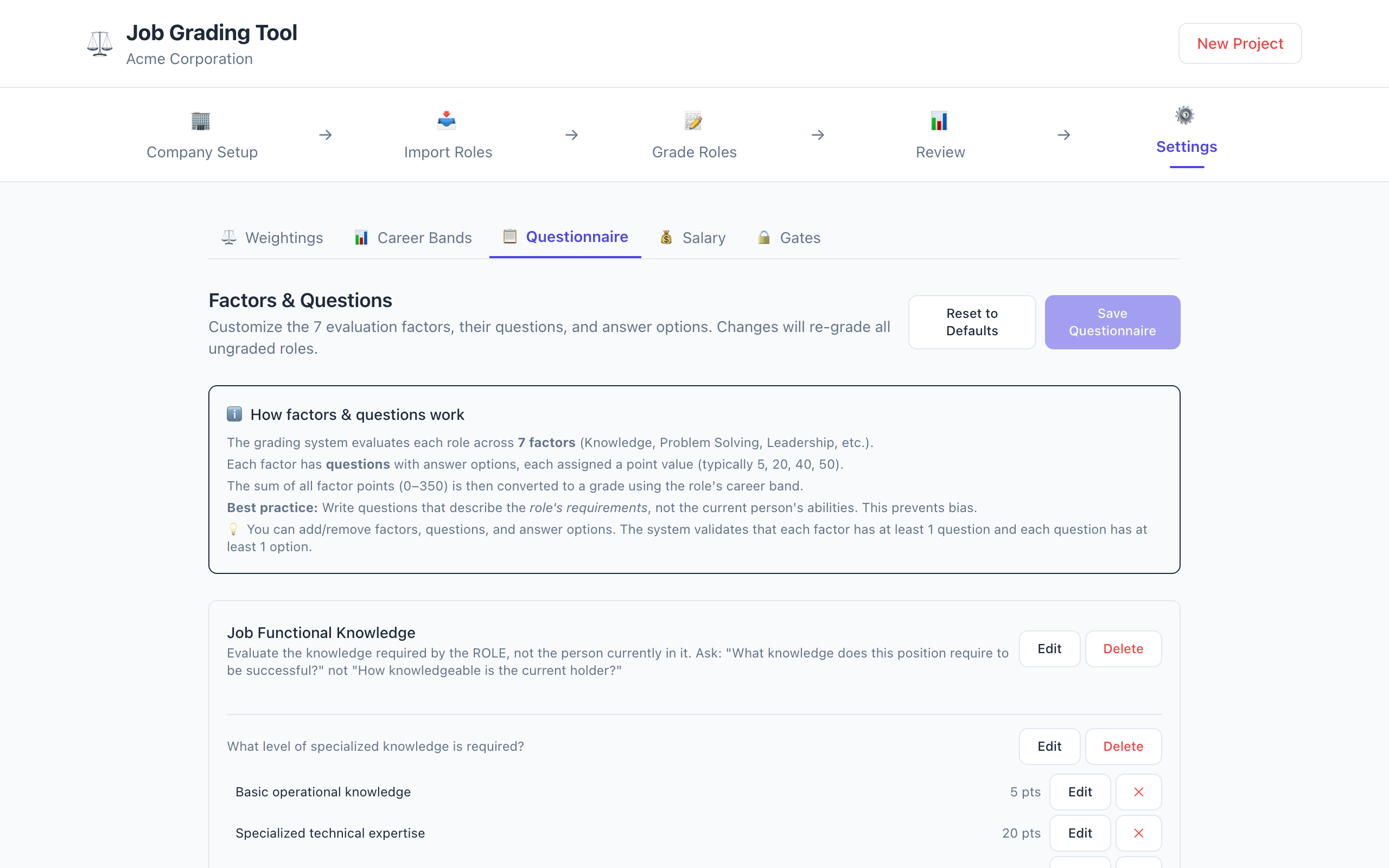
Edit the 7 evaluation factors, their questions, and answer options.
Settings: Salary
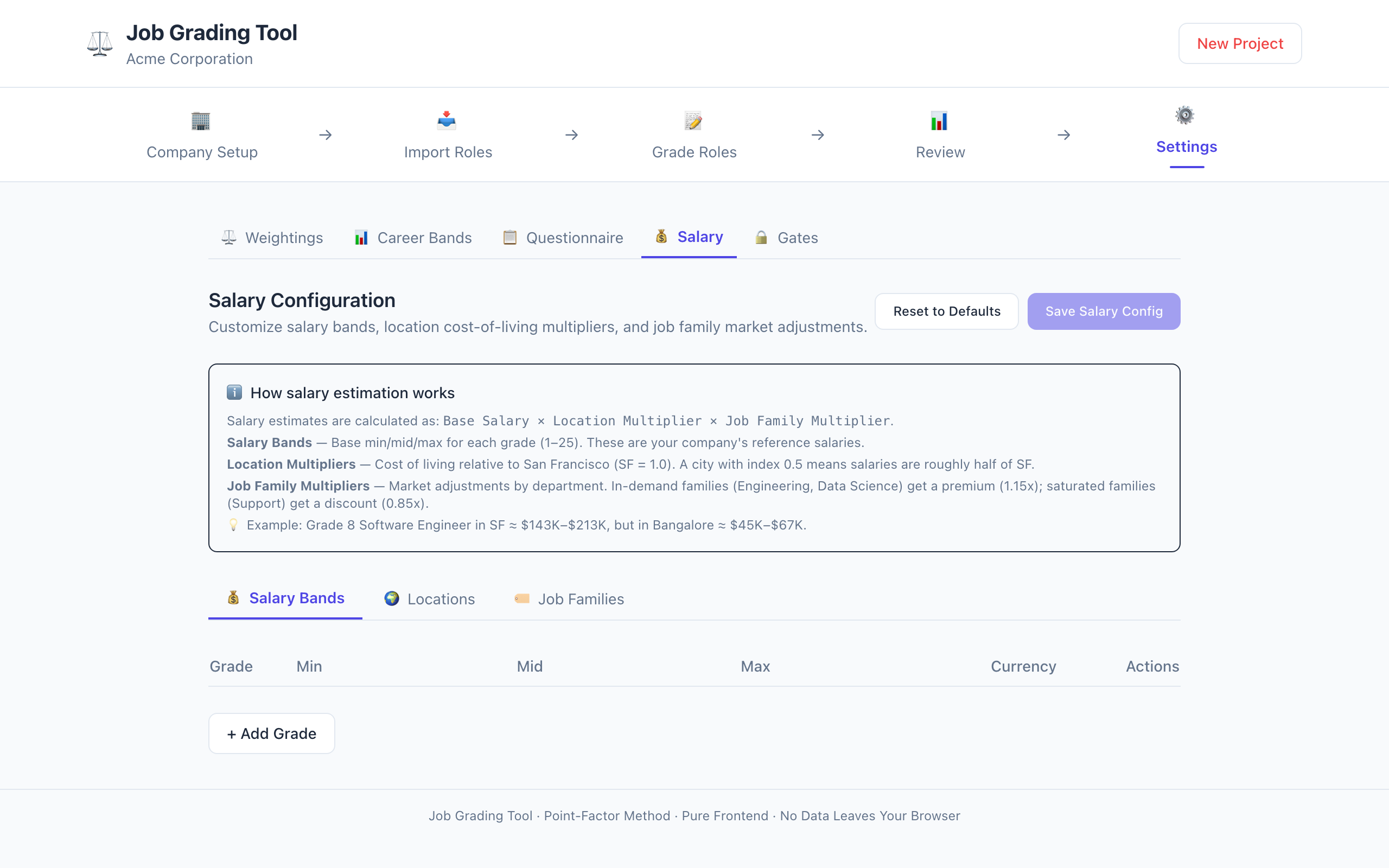
Configure salary bands, location multipliers, and job family market adjustments.
Settings: Career Bands
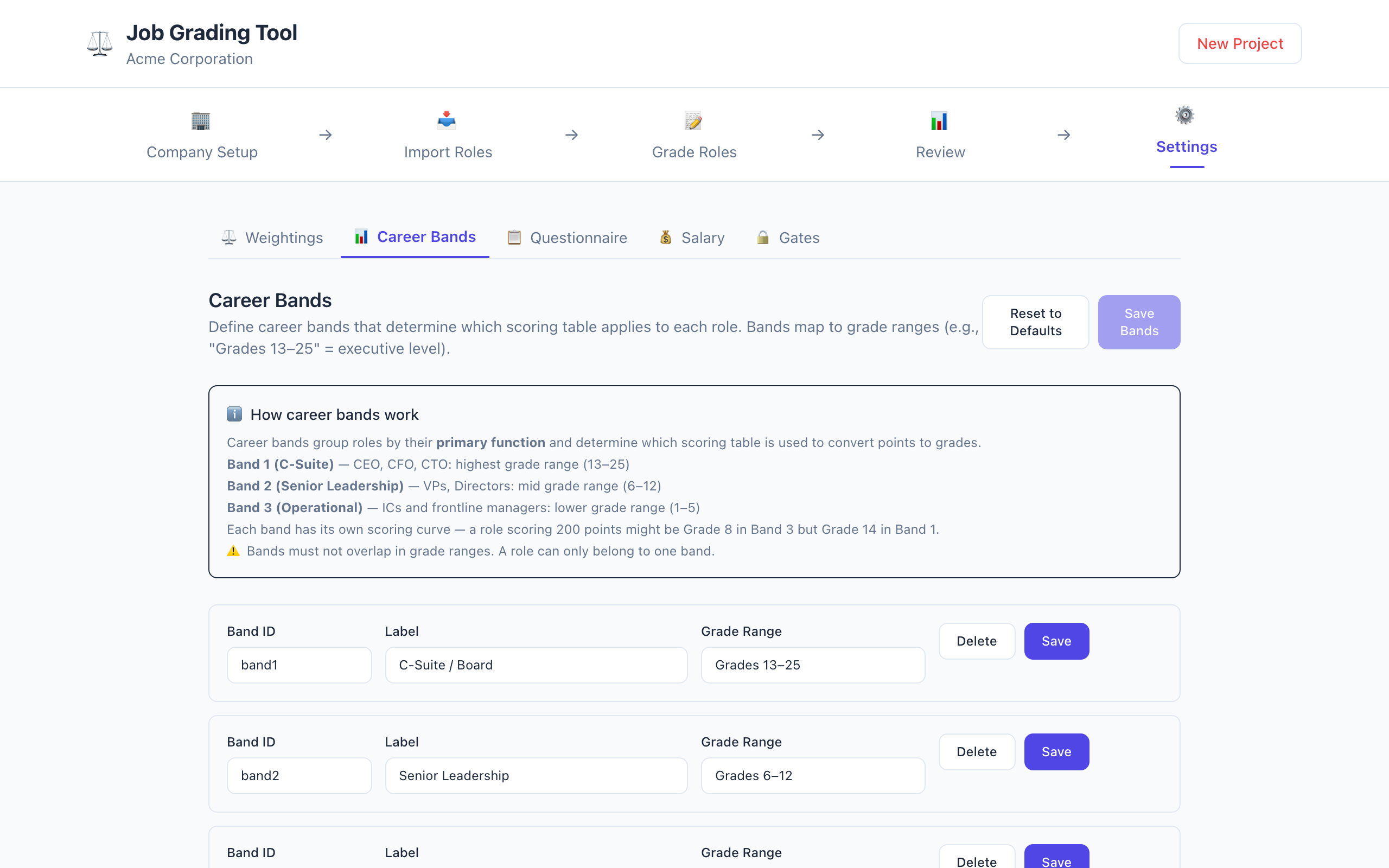
Define career bands with custom names and grade ranges.
Settings: Gate Questions
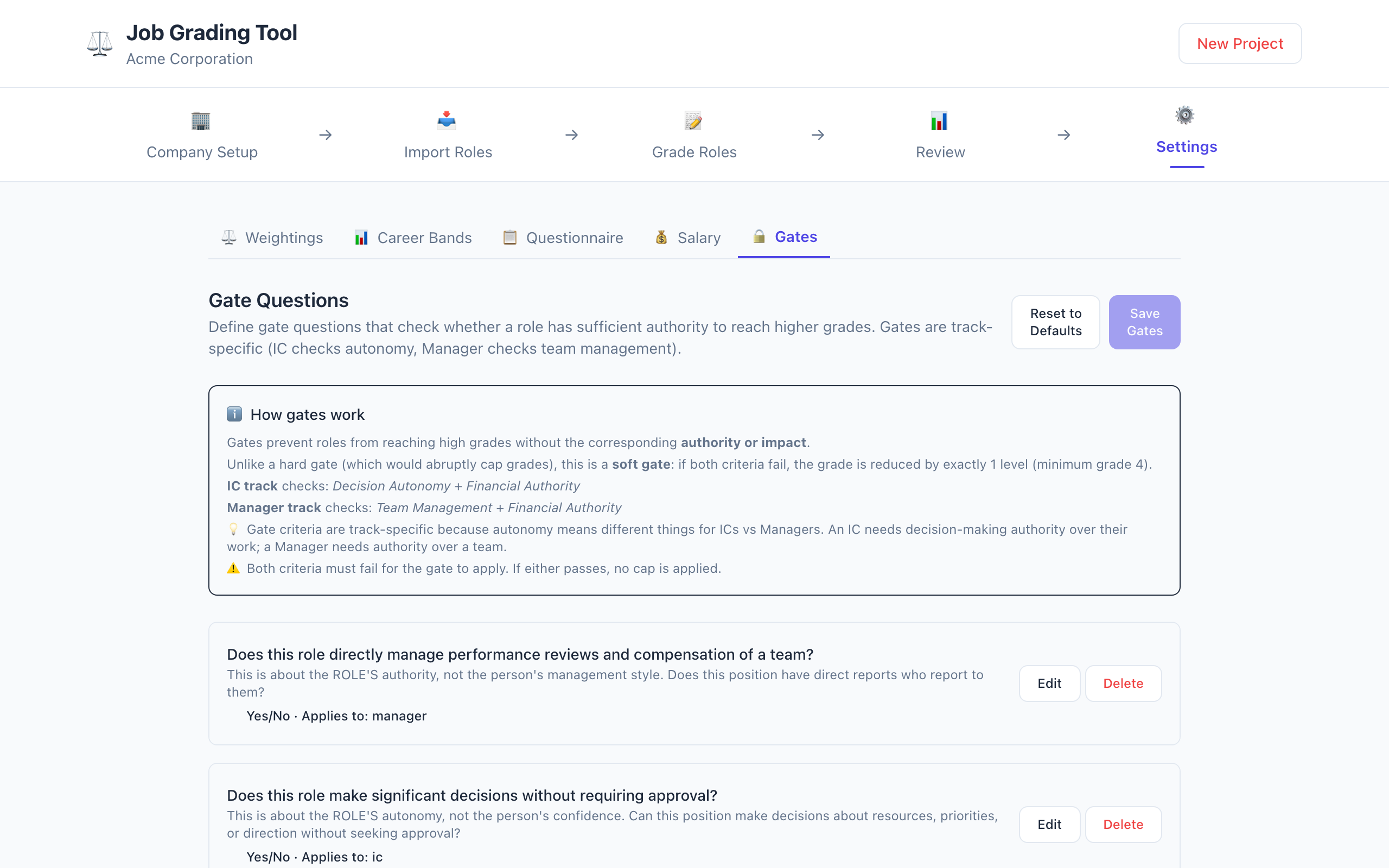
Define gate questions that check whether a role has sufficient authority to reach higher grades.
Tech stack
- Svelte 5 - UI framework
- TypeScript - type safety
- Vite - build tool
- Tailwind CSS - styling
- Vitest - testing
The stack is intentionally boring: a static frontend that can be hosted cheaply and shared without operating a service.
Sample data
The tool ships with sample data so you can try it without starting from scratch:
sample-roles.csv- 16 example roles across departments (Engineering, Sales, Marketing, etc.) and locations (New York, San Francisco, Austin, Chicago)sample-project.json- A complete Acme Corporation grading project with company setup, questionnaire definitions (7 factors + gate questions + factor weightings), grade ceiling, and 16 pre-graded roles with IC/Manager track assignments
What makes this tool different
Rubrics beat opinions
The most important thing this tool does is force people to be explicit about what they value. When you have to answer “does this role require decision autonomy?” or “does this role have financial authority?”, you cannot hide behind “it’s a senior role” or “they’re really good.”
The rubric makes the implicit explicit. And once it is explicit, people can disagree productively instead of arguing past each other.
Dual tracks are necessary but not sufficient
Having IC and Manager tracks with different weightings is the right starting point. But the convergence points where Staff IC equals Manager and Principal IC equals Senior Manager need to be calibrated to your company’s actual promotion patterns. The tool lets you adjust this, but you still need to think about it.
Soft gates are better than hard gates
A hard gate that says “you cannot reach grade 8 without managing a team” is too rigid. A soft gate that says “you can reach grade 8, but you will be capped at grade 7 if you do not manage a team and do not have financial authority” is more realistic. It allows borderline cases while still nudging people toward the right criteria.
Salary estimation is a feature, not the product
The salary engine is useful, but it is not the core of the tool. The core is the grading framework. Salary estimation is a convenience layer on top of grades. If you have your own compensation data, you can replace the default bands. If you do not, the defaults give you a reasonable starting point.
Caveats and open problems
The rubric is not universal. The seven factors and their weightings are inspired by common patterns in tech industry leveling frameworks, which tend to emphasize scope of impact, complexity, and independence. They may not work as well for other industries. The tool is configurable, but you still need to think about whether the factors make sense for your organisation.
Sample data is not production data. The 16 roles in the sample dataset are illustrative, not representative of any real company. Use them as a starting point, not as a template.
Salary estimation is approximate. The default salary bands are bundled assumptions. They are a starting point, not a substitute for your own compensation research.
This is not a hiring tool. The tool grades existing or proposed roles. It does not evaluate individual candidates. A candidate’s fit for a role depends on many factors that a grading rubric cannot capture.
Is this for you?
This tool is not for everyone. Before you try it, ask yourself these questions:
Do you have more than one hiring manager? If you are a solo founder or a one-person team, you probably do not need this. The tool is designed for organisations where multiple people make grading decisions and need a shared framework.
Do you have IC and Manager tracks? If you only have one career track, the tool’s dual-track feature is overkill. But if you have both, the convergence points are exactly the kind of thing that causes confusion.
Are you willing to be explicit? The tool forces you to answer questions about knowledge, impact, problem-solving, and leadership. If you prefer to keep those things implicit, the tool will feel like homework.
Do you care about consistency? If you are happy with ad-hoc grading that varies from hiring manager to hiring manager, the tool is not for you. If you want the same role to get the same grade regardless of who grades it, this is your tool.
How to get started
- Go to gabegm.github.io/job-grader.
- Set up your company with the four questions.
- Import roles via CSV or add them manually.
- Grade each role by answering the seven factors.
- Review the results, adjust weightings if needed, and export your project as JSON.
That is it. No backend. No database. No authentication. Just a JSON file that you own.
- [0] Point-Factor Method: A job evaluation approach that breaks roles into measurable components (factors), scores each component, and converts the total score into a grade. It is a widely used methodology, not a Google invention. Large technology companies often use structured leveling frameworks that apply similar factors, including scope of impact, complexity, and independence, to standardize compensation.
- [1] Company Ceiling: The maximum grade a company can assign, calculated from four dimensions (revenue, headcount, footprint, structure). The CEO can reach the ceiling; all other roles are capped at ceiling minus one.
- [2] Track-specific Weightings: IC and Manager tracks use different weights for each factor. IC roles weight “Job Functional Knowledge” and “Problem Solving” more heavily. Manager roles weight “Leadership” and “Business Expertise” more heavily.
- [3] Band-specific Multipliers: Executive, middle management, and operational bands each have different grade curves. A given point total maps to different grades depending on which band the role falls into.
- [4] Soft Gates: A nudge rather than a hard stop. Roles without sufficient authority are capped one grade below what their points would suggest, but can still reach borderline cases.
- [5] Dual Career Tracks: Parallel IC and Manager ladders that converge at equivalent grades, enabling fair comparison across tracks.
- [6] Market Pricing Engine: Estimates salary ranges based on grade, location (cost of living index), and job family (market adjustment factor). Fully configurable.